

TradeLocker. TradingView charts in your browser.
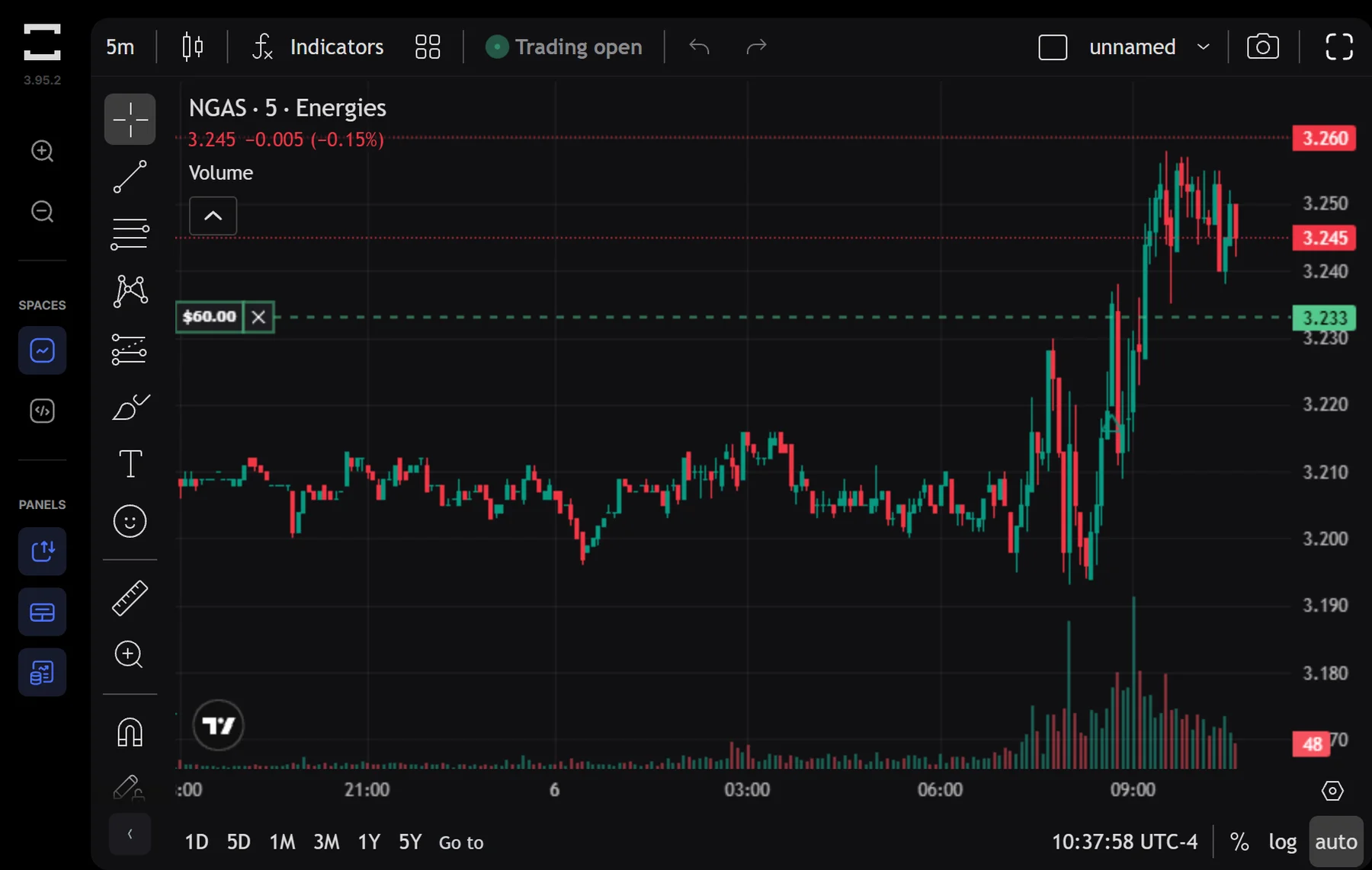
Native TradingView charting, a built-in risk calculator and the Studio bot builder. Nothing to install, with the same spreads and execution as MT5.
Web, desktop and mobile apps.
- Timeframes
- 17
- Indicators
- 100+
- Drawing tools
- 50+
- Charts at once
- 4
- Ways to trade
- 3
What you get.
TradeLocker brings a fresh approach to trading with tools designed for speed, clarity, and modern workflows.
TradingView charts
TradingView charting: 100+ indicators, 50+ drawing tools and 17 timeframes built right into the platform.
Risk calculator
Set stop-loss and take-profit in dollars, percentages, or ticks. Know your risk before you enter every trade.
Studio bot builder
Build automated trading strategies with a visual, no-code interface. Backtest and deploy without writing a single line of code.
Mobile-first design
Trade in your browser, on the Windows and macOS desktop app, or on iOS and Android.
Platform highlights.
- Native TradingView charting engine
- Built-in risk calculator (SL/TP in $/%/ticks)
- Studio bot builder, no code required
- Multi-account dashboard
- Web, desktop and mobile apps
Availability: Web, Windows, macOS, iOS, Android
TradingView charts, built in.
TradeLocker uses the TradingView charting engine natively, so the charts, indicators and drawing tools are the ones many traders already know.
- 17 timeframes
- 100+ technical indicators
- 50+ drawing tools
- Up to 4 charts open at once
- Stop-loss and take-profit in dollars, percentages or ticks
- One-click trading
Trade anywhere. Same account.
TradeLocker runs in your browser, as a desktop app and on your phone, with the same prices and positions on each.
Web
Any modern browser
Nothing to install. Log in and trade from any computer.
Desktop app
Windows and macOS
The full platform in its own window, including the Studio bot builder.
Mobile app
iOS and Android
Charts, orders and positions on your phone, synced with your account.
TradeLocker FAQs.
- Does TradeLocker cost extra?
- No. TradeLocker is included with your NextTrade account. Spreads, commissions and execution are the same as on MT5.
- Which devices does TradeLocker run on?
- In any modern web browser, as a desktop app for Windows and macOS, and as a mobile app for iOS and Android. You use the same account on each.
- What charts does TradeLocker use?
- Native TradingView charts, with 17 timeframes, 100+ indicators, 50+ drawing tools and up to 4 charts open at once.
- Can I automate my trading on TradeLocker?
- Yes. The Studio bot builder in the desktop app lets you build, backtest and run strategies with a visual, no-code editor.
- Should I choose TradeLocker or MT5?
- Pricing is the same on both. TradeLocker suits traders who want TradingView charts and a built-in risk calculator. MT5 suits traders who use Expert Advisors, Depth of Market or the MT5 strategy tester. The platforms page compares them side by side.
Trade on MetaTrader 5 or TradeLocker.
Both platforms are live, with the same spreads and execution on each; maximum leverage differs by platform. Choose the platform that fits how you trade.