
MetaTrader 5 vs TradeLocker: Which Platform Should You Use?
Published Updated
By NextTrade Editorial
MetaTrader 5 is generally the stronger fit for traders using Expert Advisors, MQL5 automation, detailed desktop analysis and established indicator workflows. TradeLocker is generally the stronger fit for traders wanting TradingView-powered charts, browser-based access, an integrated risk calculator and Studio bot-building tools. Neither is universally better; the choice depends on your workflow, experience level and preferred tools.
NextTrade supports both platforms. The decision rests on charting preferences, automation requirements, risk management tools and accessibility constraints, not on account pricing, which remains separate from platform selection.
Quick comparison
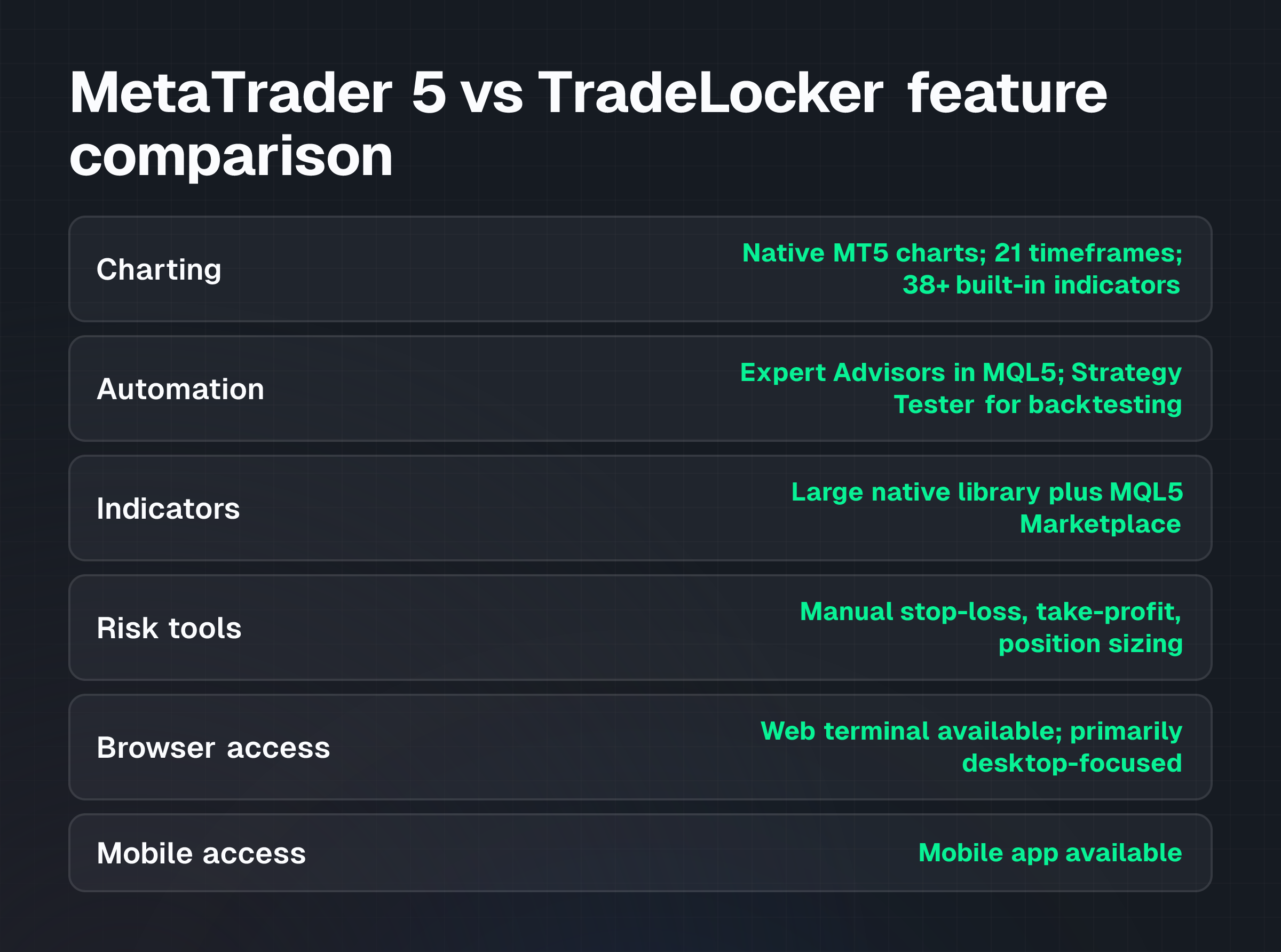
| Criterion | MetaTrader 5 | TradeLocker |
|---|---|---|
| Charting | Native MT5 charts; 21 timeframes; 38+ built-in indicators | TradingView-powered; 100+ indicators; intuitive drawing tools |
| Automation | Expert Advisors (EAs) in MQL5; Strategy Tester for backtesting | Studio bot builder; visual interface; no-code automation |
| Indicators | Large native library plus MQL5 Marketplace | TradingView community indicators |
| Risk tools | Manual stop-loss, take-profit, position sizing | Integrated risk calculator (SL/TP in $, %, or ticks) |
| Browser access | Web terminal available; primarily desktop-focused | Primary mode; no installation required |
| Mobile access | Mobile app available | Mobile-friendly web access |
| Learning curve | Steeper for automation; moderate for analysis | Gentler for visual bot building; TradingView familiarity helps |
| Suitable for | Algo traders, scalpers, detailed analysts | Discretionary traders, risk-conscious traders, web-first users |
Choose MT5 if...
Select MetaTrader 5 if you rely on Expert Advisors, require advanced MQL5 automation, conduct detailed desktop analysis or need access to Depth of Market data.
MT5 supports 21 charting timeframes and 44 graphical objects for in-depth technical analysis. Its multi-threaded Strategy Tester allows rigorous backtesting of automated strategies. The platform supports both hedging and netting account modes, providing flexibility for various trading styles. Traders can access a vast marketplace of indicators and EAs through the MQL5 community.
MT5 is the stronger choice for scalpers performing rapid order entry and analysis, algo traders building custom strategies, and traders using established MT5 indicator sets or EA libraries. The desktop environment delivers the full feature set; the web terminal is functional but less feature-rich.
Choose TradeLocker if...
Opt for TradeLocker if you prefer TradingView-powered charts, value browser-based access or want to use the Studio bot builder.
No installation required. TradeLocker's native TradingView charts come with over 100 indicators and intuitive drawing tools familiar to many traders. The built-in risk calculator allows precise stop-loss and take-profit levels in dollars, percentages or ticks. The no-code Studio bot builder provides a visual interface for creating automated strategies, making it accessible even for those without programming knowledge.
TradeLocker is the stronger choice for discretionary traders preferring web-first platforms, risk-conscious traders using the built-in calculator, and traders comfortable with visual bot-building over code. The multi-account dashboard supports efficient management across accounts.
Which platform is better for beginners?
TradeLocker generally offers a gentler learning curve. Its browser-first approach eliminates installation hurdles, and the TradingView-powered charts are often considered more intuitive for new users. The visual bot builder in TradeLocker Studio simplifies automation without requiring programming knowledge. The integrated risk calculator helps beginners manage risk by easily quantifying potential losses or gains.
MetaTrader 5 is powerful but more complex for newcomers. Its desktop-centric design and the requirement to understand MQL5 for full automation present steeper entry barriers. However, for beginners interested in learning programming or building complex strategies, MT5 offers greater depth and community support.
Usability, not profitability, determines which platform suits a beginner better. Neither platform predicts market movement.
Which platform is better for automated trading?
Both platforms support automated trading but cater to different approaches.
MetaTrader 5 excels with Expert Advisors written in MQL5, a C++-like programming language offering deep customization and control over trading logic. MT5's Strategy Tester allows detailed backtesting and optimization of these EAs. This makes MT5 ideal for traders developing complex algorithms, integrating custom indicators or accessing the wide range of existing EAs from the MQL5 Marketplace.
TradeLocker provides a Studio bot builder with a visual interface. This no-code solution is designed for traders who want to automate strategies without programming skills. Users construct trading bots using pre-built blocks and conditions, making it more accessible for those focused on visual strategy development. While robust, it may offer less granular control than the MQL5 environment for highly specialized strategies.
Automation doesn't guarantee performance. Backtested results may not reflect future trading outcomes.
Does the platform affect trading costs?
The choice between MetaTrader 5 and TradeLocker doesn't directly affect your trading costs such as spreads, commissions or overnight financing. These costs are determined by your broker and the specific account type you choose, not the trading platform itself.
Whether you use MT5 or TradeLocker, your costs depend on your account structure. An ECN account typically features raw spreads starting from 0.0 pips plus a commission, while a standard account may have slightly wider spreads with no commission. Check NextTrade's leverage guide before selecting your account settings.
Leverage significantly impacts your exposure and potential profit or loss, regardless of platform. Higher leverage increases market exposure but also increases the speed and scale of potential losses.
Risk warning: Trading and leverage carry substantial risk, including full loss of capital. These products may not be suitable for everyone.
Final decision
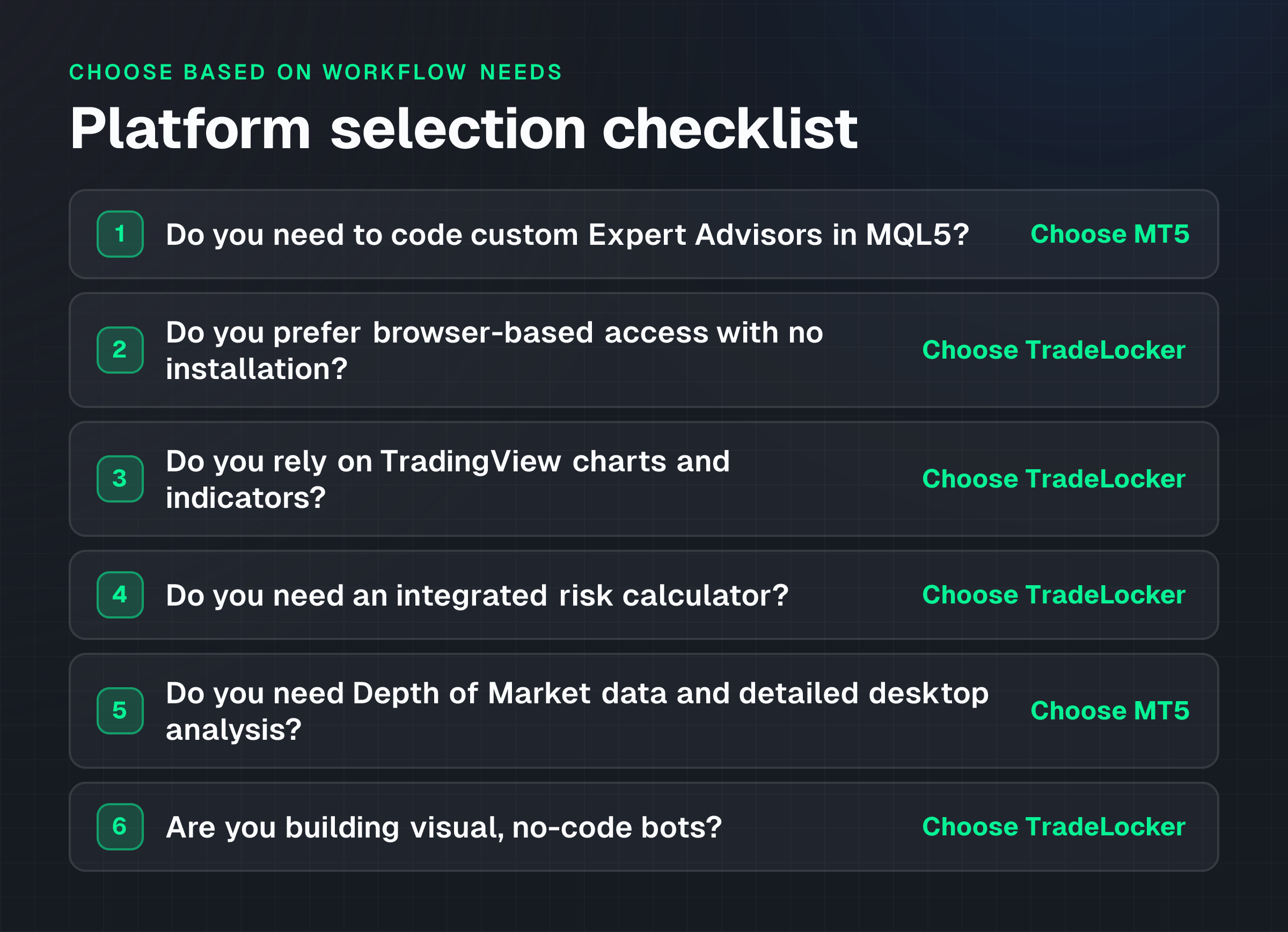
To determine which platform best suits your workflow, compare your specific needs against the criteria in this article: charting preference, automation approach, accessibility requirements and risk management tools.
Use this checklist:
- Do you need to code custom Expert Advisors in MQL5? Choose MT5.
- Do you prefer browser-based access with no installation? Choose TradeLocker.
- Do you rely on TradingView charts and indicators? Choose TradeLocker.
- Do you need an integrated risk calculator? Choose TradeLocker.
- Do you need Depth of Market data and detailed desktop analysis? Choose MT5.
- Are you building visual, no-code bots? Choose TradeLocker.
Review NextTrade's platform options to see which are available for your account tier. Consider opening a demo account to evaluate both MetaTrader 5 and TradeLocker before committing to a funded account. Check the current product terms and explore the markets available on each platform before funding.
TagsPlatform How Toprop tradingprop firms